
Point Of Sale (POS)
System Redesign.
Redesigned the POS system for VIBGYOR Chain of Schools, Bringing down thier effective check out time by > 65%
Redesigned the POS system for VIBGYOR Chain of Schools, Bringing down their effective check out time by > 65%
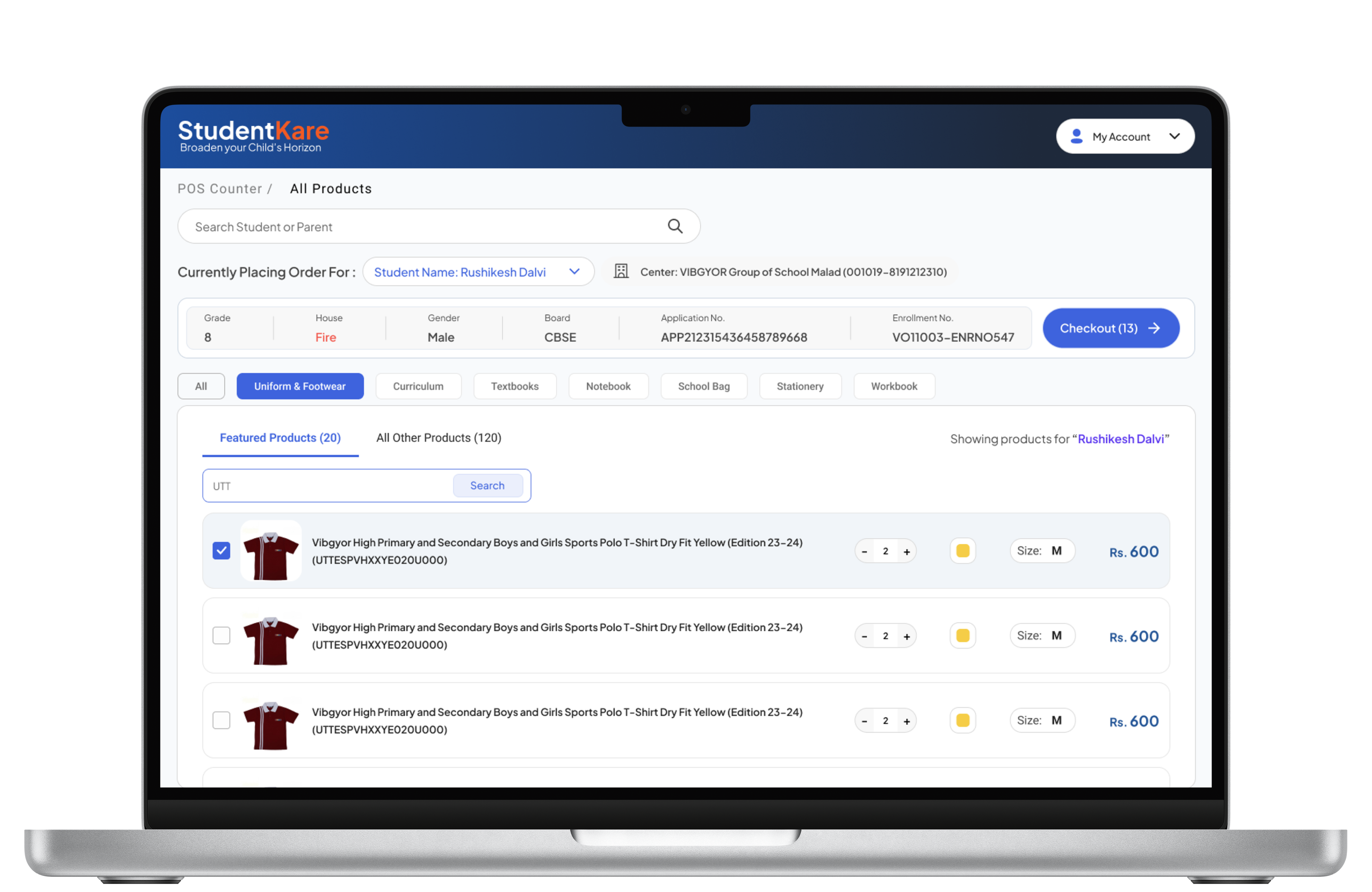
Problem Explained
POS centers are the stores dedicated for the parents, students and employees of the school. These supplies that are handed out to the users are mapped on basis of their Grade, department, House, Designation, etc.
During Peak hours the volume can go up to 30 -35 visits per hours.
What Did we Fix?

Improper Mapping
The data retrieved from the ERP system was chaotic, leading to bottlenecks and delays in our workflow. We streamlined the data, enhancing the ability to locate products efficiently. Additionally, we enabled operators to easily search for unmapped products.

Slow Checkout
The typical checkout duration decreased from 2 to 3 minutes to approximately 30 seconds.

Verification Difficulties
The POS operators faced difficulties in verifying the identities of parents and their children, especially when it came to unmapped products. This issue was resolved by implementing a parent-child relationship in the search functionality.
01
Empty State
This is what the POS operator Sees when they first land on the POS screen
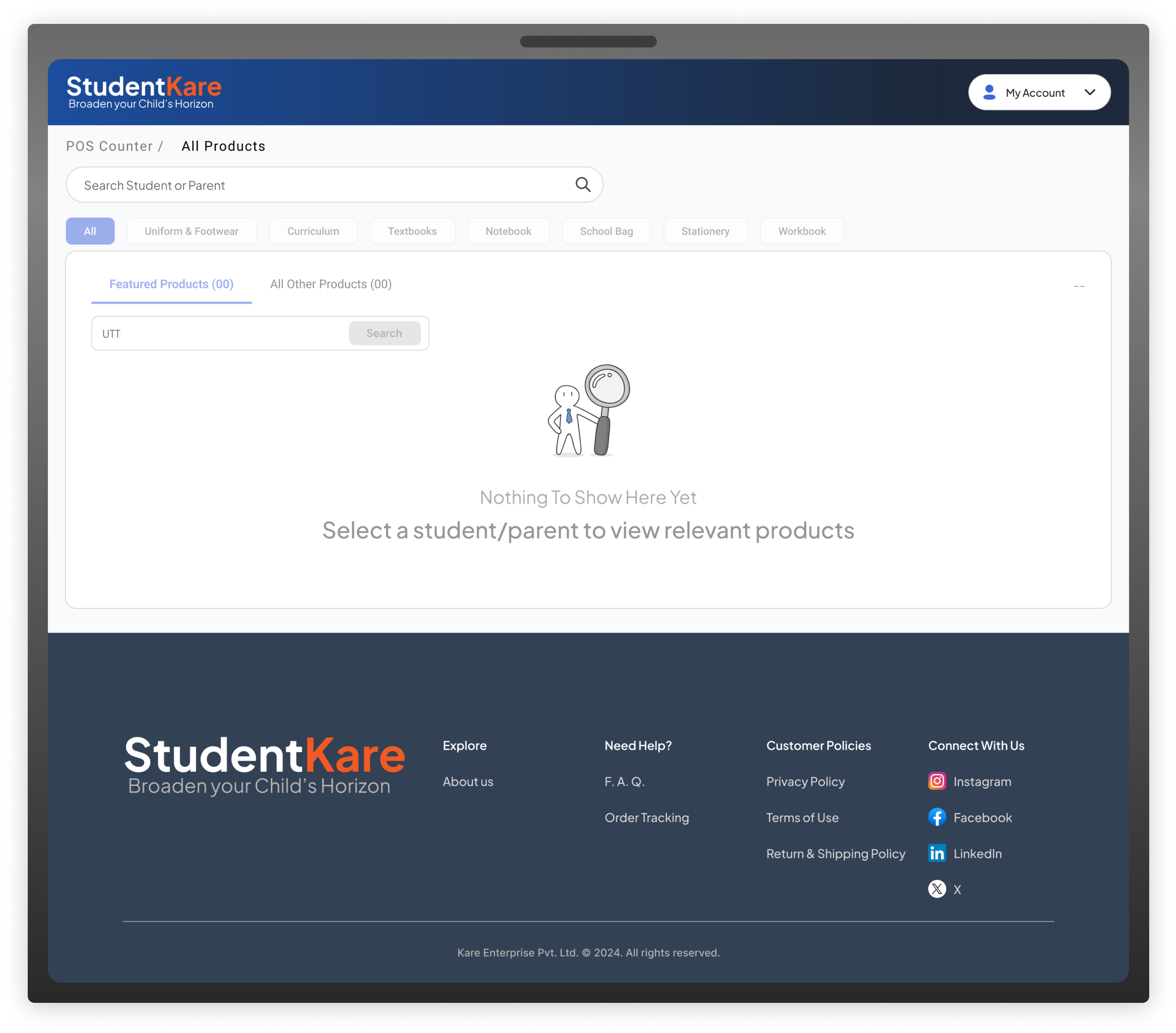
02
Student Search
POS Operators can search using either the Student's or Parent's name. The system will preserve the relationship during the shopping process.
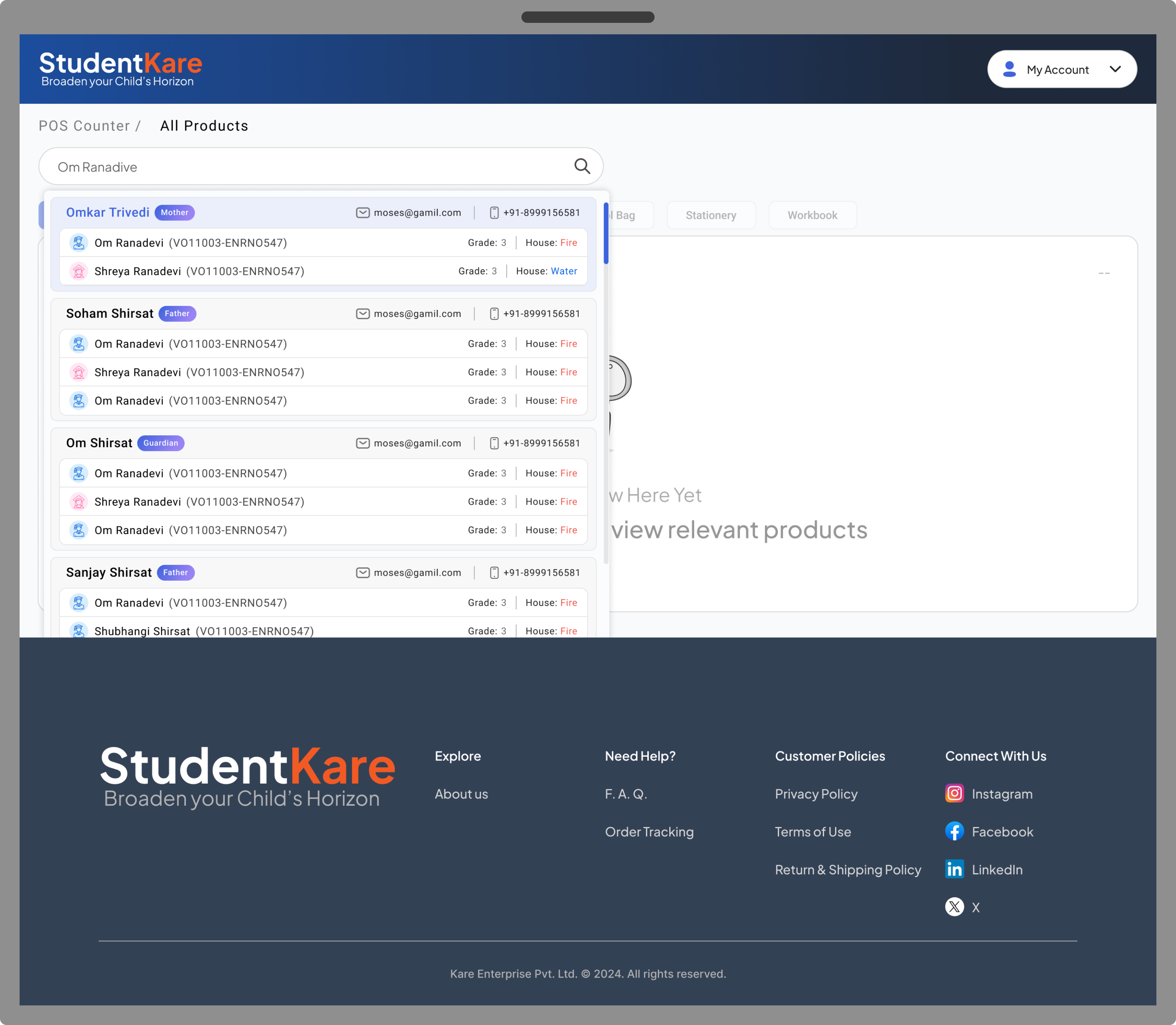
03
Get Ready to Check Out
All pertinent student information is prominently showcased for easy verification and for acquiring unlisted products. The operator can utilize quick filters to add items to the cart and proceed to checkout.
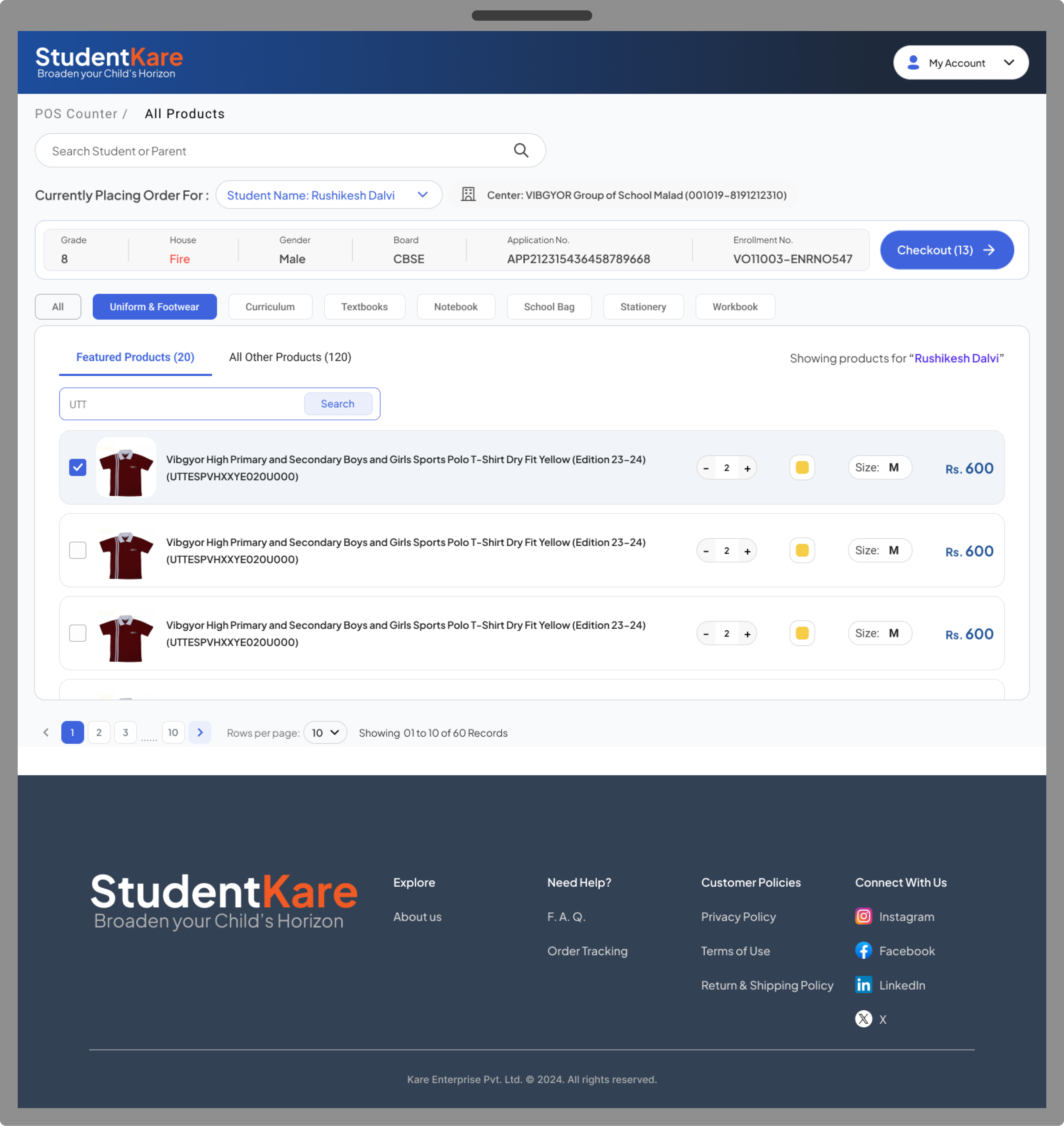
04
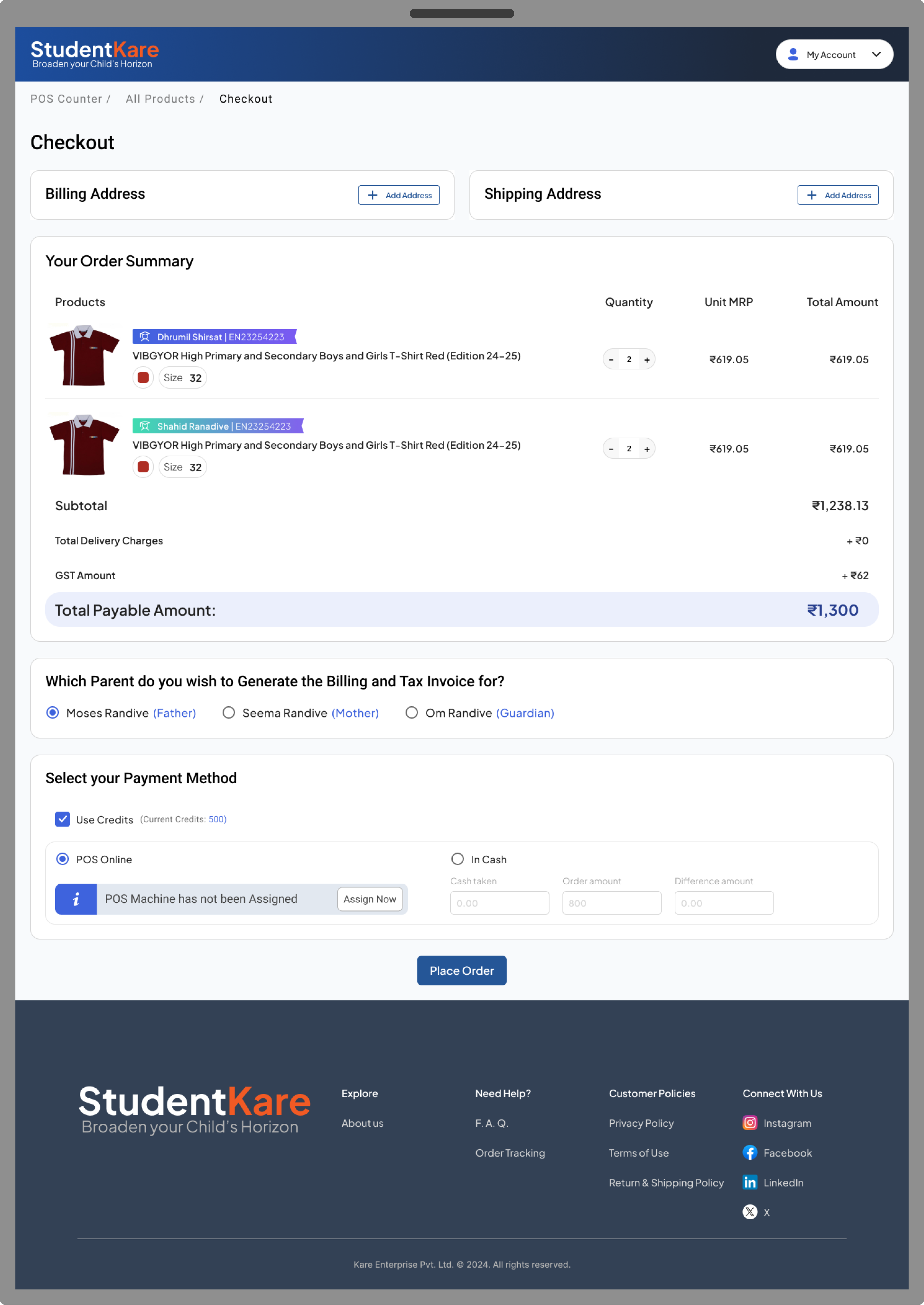
Efficient Payment Process
Easily select your billing and shipping addresses, choose your preferred payment method, and utilize a quick payment change calculator for cash transactions.
05
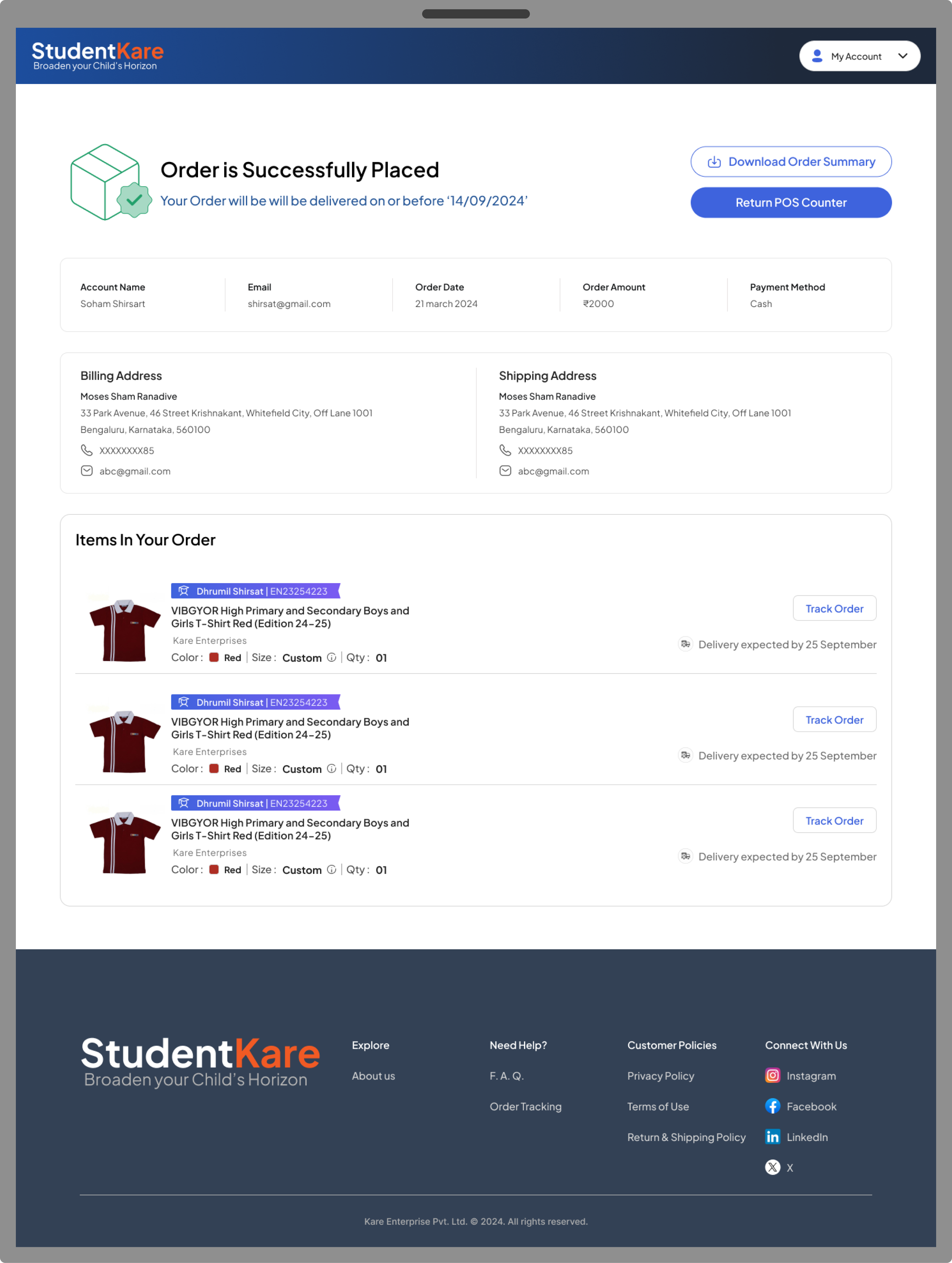
Order Confirmation
An Order Confirmation Page indicating that the order has been successfully placed. It includes a "Return to POS Counter" button, enabling POS operators to get ready for the next order.
06
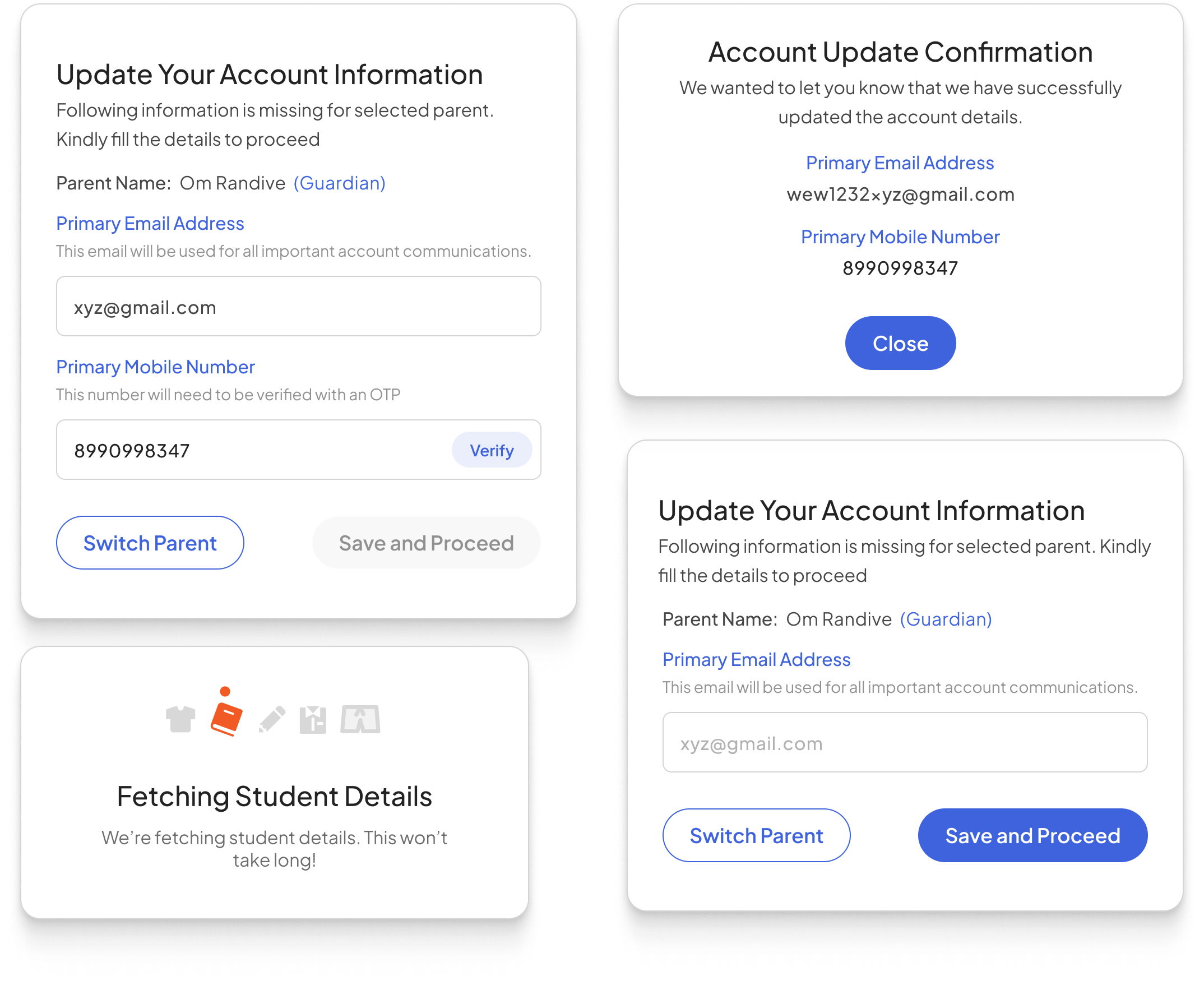
POP UPs And Dialog Boxes
Point Of Sale (POS)
System Redesign.
Redesigned the POS system for VIBGYOR Chain of Schools, Bringing down their effective check out time by > 65%
Redesigned the POS system for VIBGYOR Chain of Schools, Bringing down thier effective check out time by > 65%
Problem Explained
POS centers are the stores dedicated for the parents, students and employees of the school. These supplies that are handed out to the users are mapped on basis of their Grade, department, House, Designation, etc.
During Peak hours the volume can go up to 30 -35 visits per hours.
What Did we Fix?
Slow Checkout
The typical checkout duration decreased from 2 to 3 minutes to approximately 30 seconds.
Improper Mapping
The data retrieved from the ERP system was chaotic, leading to bottlenecks and delays in our workflow. We streamlined the data, enhancing the ability to locate products efficiently. Additionally, we enabled operators to easily search for unmapped products.
Verification Difficulties
The POS operators faced difficulties in verifying the identities of parents and their children, especially when it came to unmapped products. This issue was resolved by implementing a parent-child relationship in the search functionality.
01
Empty State
This is what the POS operator Sees when they first land on the POS screen
02
Student Search
POS Operators can search using either the Student's or Parent's name. The system will preserve the relationship during the shopping process.
03
Get Ready to Check Out
All pertinent student information is prominently showcased for easy verification and for acquiring unlisted products. The operator can utilize quick filters to add items to the cart and proceed to checkout.
04
Efficient Payment Process
Easily select your billing and shipping addresses, choose your preferred payment method, and utilize a quick payment change calculator for cash transactions.
05
Order Confirmation
An Order Confirmation Page indicating that the order has been successfully placed. It includes a "Return to POS Counter" button, enabling POS operators to get ready for the next order.
06
POP UPs And Dialog Boxes